Go to top
Item added to basket - Click here to view

My printer added - Click here to view

Canon Pixma G650 Ink Cartridges

Save to My Printers
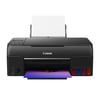
We have a full range of genuine Canon and TonerGiant compatible Canon Pixma G650 ink and all are shipped by our guaranteed next-day delivery service at no addition cost. The page below gives all the options, specification and low pricing for the Pixma G650 printer.

Filter Products (14)

Ink Value Packs

Compatible Canon GI-53 Ink Bottle Multipack
Guaranteed for 3 Years
£37.52
£45.02 inc VAT
In Stock - Delivered Tuesday
Order Within
Canon GI-53 Ink Bottle Multipack
Product Code: 4699C001PACK
£76.49
£91.79 inc VAT
Back In Stock Soon
Dispatched when stock returns

Black Cartridges For Canon Pixma G650 printers

Compatible Canon GI-53BK Black Ink Bottle
Guaranteed for 3 Years
£8.20
£9.84 inc VAT
In Stock - Delivered Tuesday
Order Within
Canon GI-53BK Black Ink Bottle
Product Code: 4699C001
£13.59
£16.31 inc VAT
In Stock - Delivered Tuesday
Order Within

Cyan Cartridges For Canon Pixma G650 printers

Compatible Canon GI-53C Cyan Ink Bottle
Guaranteed for 3 Years
£8.20
£9.84 inc VAT
In Stock - Delivered Tuesday
Order Within
Canon GI-53C Cyan Ink Bottle
Product Code: 4673C001
£14.28
£17.14 inc VAT
In Stock - Delivered Tuesday
Order Within

Grey Cartridges For Canon Pixma G650 printers

Compatible Canon GI-53C Grey Ink Bottle
Guaranteed for 3 Years
£8.61
£10.33 inc VAT
In Stock - Delivered Tuesday
Order Within
Canon GI-53C Grey Ink Bottle
Product Code: 4708C001
£14.28
£17.14 inc VAT
In Stock - Delivered Tuesday
Order Within

Magenta Cartridges For Canon Pixma G650 printers

Compatible Canon GI-53M Magenta Ink Bottle
Guaranteed for 3 Years
£8.20
£9.84 inc VAT
In Stock - Delivered Tuesday
Order Within
Canon GI-53M Magenta Ink Bottle
Product Code: 4681C001
£14.28
£17.14 inc VAT
In Stock - Delivered Tuesday
Order Within

Red Cartridges For Canon Pixma G650 printers

Compatible Canon GI-53R Red Ink Bottle
Guaranteed for 3 Years
£8.61
£10.33 inc VAT
In Stock - Delivered Tuesday
Order Within
Canon GI-53R Red Ink Bottle
Product Code: 4717C001
£14.28
£17.14 inc VAT
In Stock - Delivered Tuesday
Order Within

Yellow Cartridges For Canon Pixma G650 printers

Compatible Canon GI-53Y Yellow Ink Bottle
Guaranteed for 3 Years
£8.20
£9.84 inc VAT
In Stock - Delivered Tuesday
Order Within
Canon GI-53Y Yellow Ink Bottle
Product Code: 4690C001
£14.28
£17.14 inc VAT
Back In Stock Soon
Dispatched when stock returns

Ink Cartridges for the Canon Pixma G650

The Canon Pixma G650 is capable of printing unrivalled photo-quality printing and at high volumes courtesy of its refillable ink tanks. Here at ToneGiant we have all the ink bottle colours in stock and offer them at incredibly low prices.
The Pixma G650 uses the GI-53 ink bottles and they come in a unique combination of colours - Black, Grey, Cyan. Yellow, Magenta and Red. Each of these ink bottles contain enough ink to print around 3,800 pages. A great way to buy ink bottles for the G650 is the GI-53 Ink Bottle Multipack which contains one of each of the colours and costs less than buying individually.
We also have own brand Ink for use in the Pixma G50 and these inks offer a much lower cost but without any sacrifice on quality. We're so confident in their performance, that we supply them with a comprehensive 3-year warranty which covers the ink and your printer.

Trust TonerGiant for your Canon Pixma G650 Ink.

For more than 20 years, TonerGiant has been selling Canon ink and in this time we supplied hundreds of thousands of satisfied customers. When you buy your Pixma G650 inks from us you can count on us to deliver on time, every time. To be here if you need any extra help courtesy of our award winning customer care team and in the rare event that you need to return something to us, our customer friendly and easy returns process comes in to play.

Frequently Asked Questions

What is the returns policy and how do I return a cartridge?
We want you to have the best experience possible when shopping with TonerGiant. With over 20 years’ expertise, our friendly support team is here to help get you printing again quickly. You can arrange to return a product through our returns form, or by calling us on 0345 365 3605.
If your product becomes faulty
  • Original Cartridges: Return for a refund or replacement for up to 12 months.
  • Compatible cartridges: Return for a refund or replacement up to 3 years.
Please contact us a soon as possible to request a returns number and arrange a free collection.

If you change your mind - 30 Days to return:
  • You have 14 days from delivery to arrange a return and an additional 16 days to return the items to us once arranged (30 Days in total).
  • Ordered incorrectly? We’ll provide a returns number and address for you to send to.
  • Wrong item arrived – We’ll arrange a free collection of the incorrect product(s) and send a replacement.
After 14 days, you may still be able to return the product, but a 20% restocking fee will apply. After 30 days, returns are at our discretion.
Please note: Printer cartridges must be returned unopened, unused, with all seals intact and in a resalable condition, or returns may not be accepted.

Find more information and our full returns policy on our returns & refunds page.
How much does delivery cost and how long will it take?
We don't think you should pay more at the checkout, and we're proud to be one of the only printer cartridge suppliers to offer Free guaranteed next-day delivery to all mainland UK addresses.
Order before 5:30 pm on any working day and so long as the products are in-stock, your order will be delivered on the next-working-day.
Which ink bottles does the Canon Pixma G650 use?
The Canon Pixma G650 uses a combination of 6 ink colours. Black GI-53BK, Grey GI-53GY, Cyan GI-53C, Magenta GI-53M, Yellow GI-53Y and finally Red GI-53R.
Why is my Canon Pixma G650 not recognising ink after refilling?
Firstly, check that each tank is filled to the top line and capped correctly. Run the Maintenance function, choosing the Ink Level Reset on the printer menu. Then restart the printer to refresh ink detection.

Customer Questions (0)

Be the first to ask a question about this product.

Need Assistance? We'll be happy to help! Call us on 0345 365 3605