

 Free Delivery On Everything
 Exclusive Business Pricing
  Switch & Save With Compatibles
  Feefo Rated 4.7 (25k+ Ratings)
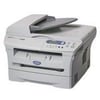
Brother DCP-7020 Toner Cartridges
Save to My Printers

Frequently Asked Questions
- Original Cartridges: Return for a refund or replacement for up to 12 months.
- Compatible cartridges: Return for a refund or replacement up to 3 years.
- You have 14 days from delivery to arrange a return and an additional 16 days to return the items to us once arranged (30 Days in total).
- Ordered incorrectly? We’ll provide a returns number and address for you to send to.
- Wrong item arrived – We’ll arrange a free collection of the incorrect product(s) and send a replacement.
Customer Questions (1)
Hi there,
The first step is to open the front cover of your machine and pull out the existing drum and toner cartridge assembly.
Next, hold down the lock lever on the left and pull the toner out of the drum unit. You can now discard the old drum unit. Take your existing toner and reinstall into your new drum unit. The lock lever will lift up automatically when inserted correctly.
Install the drum and toner assembly into your DCP-7020 printer but keep the front cover open after installation. Press the options button on the machine and confirm you’re replacing the drum unit by pressing the up arrow. When accepted, close the front cover.
If you need any more information, feel free to contact our customer service team on 0345 365 3605 and they will be happy to talk you through the process.