

 Free Delivery On Everything
 Exclusive Business Pricing
  Switch & Save With Compatibles
  Feefo Rated 4.7 (25k+ Ratings)
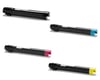
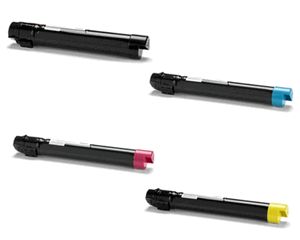
Xerox 006R015 B/C/M/Y Toner Value Pack
 Multipack Saving
£19.75
Multipack Saving
£19.75
Xerox 006R015 B/C/M/Y Toner Value Pack Product Details
Works in these printers
Frequently Asked Questions
- Original Cartridges: Return for a refund or replacement for up to 12 months.
- Compatible cartridges: Return for a refund or replacement up to 3 years.
- You have 14 days from delivery to arrange a return and an additional 16 days to return the items to us once arranged.
- Ordered incorrectly? We’ll provide a returns number and address for you to send to.
- Wrong item arrived – We’ll arrange a free collection of the incorrect product(s) and send a replacement.
Save £200.75 with the High Quality TonerGiant brand alternative cartridge
Usually bought together (4)
Product Reviews (1)
Customer Questions (1)
Hi there, I'd be happy to help in anyway I can.
This certainly could be caused by a fault. The first thing to check is to print off a status page. A status page will tell you how many pages the current toners have printed and at what page coverage they were printed at.
The amount of pages that are stated are based on a 5% page coverage which is set by the ISO (Intenational Organisation for Standardisation). Basically it's possible that the coverage was higher, therefore the number of prints would be less than expected. To printer a status page, go to the LCD menu of the printer and go to settings where there will be an option to print a status page. Alternatively give us a call on 0345 365 3605 and we can advise further or arrange a return if the coverage is 5% but page count less than expected.