

Menu
Menu
Menu
Menu
Menu
 Free Delivery On Everything
 Exclusive Business Pricing
  Switch & Save With Compatibles
  Feefo Rated 4.7 (25k+ Ratings)
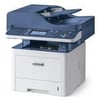
Xerox WorkCentre 3345 Toner Cartridges
Save to My Printers
Shop Xerox WorkCentre 3345 toner cartridges at TonerGiant for printer consumables you can count on. Shop original Xerox cartridges, or make the best savings with our TonerGiant compatibles. Every purchase is protected with a guarantee, and comes with free next-working day shipping.
Filter Products (8)

Compatible Xerox 106R03624 Extra High Capacity Black Toner 3 Pack
Product Code: RE106R03624PACK
1 x
Black
15,000 Pages
1 x
Black
15,000 Pages
1 x
Black
15,000 Pages
Printer Warranty Protected
Guaranteed to Work
In Stock - Delivered Thursday
Order Within
252.45
Free Next-Day Delivery
Compatible Xerox 106R03624 Extra High Capacity Black Toner Cartridge
Product Code: RE106R03624
1 x
Black
15,000 Pages
£
Cost per page 0.62p
Printer Warranty Protected
Guaranteed to Work
In Stock - Delivered Thursday
Order Within
93.50
Free Next-Day Delivery
Compatible Xerox 106R03622 High Capacity Black Toner Cartridge
Product Code: RE106R03622
1 x
Black
8,500 Pages
£
Cost per page 1.09p
Printer Warranty Protected
Guaranteed to Work
In Stock - Delivered Thursday
Order Within
92.50
Free Next-Day Delivery
Xerox 106R03624 Extra High Capacity Black Toner Cartridge
Product Code: 106R03624
1 x
Black
15,000 Pages
£
Cost per page 1.77p
In Stock - Delivered Thursday
Order Within
265.81
Free Next-Day Delivery
Xerox 106R03622 High Capacity Black Toner Cartridge
Product Code: 106R03622
1 x
Black
8,500 Pages
£
Cost per page 2.52p
In Stock - Delivered Thursday
Order Within
214.09
Free Next-Day Delivery
Xerox 106R03620 Black Toner Cartridge
Product Code: 106R03620
1 x
Black
2,600 Pages
£
Cost per page 4.96p
In Stock - Delivered Thursday
Order Within
128.86
Free Next-Day Delivery
Compatible Xerox 101R00555 Image Drum Unit
Product Code: RE101R00555
1 x
Maintenance
30,000 Cycles
Printer Warranty Protected
Guaranteed to Work
In Stock - Delivered Thursday
Order Within
34.00
Free Next-Day Delivery
In Stock - Delivered Thursday
Order Within
53.99
Free Next-Day Delivery
Toner Cartridges for the Xerox WorkCentre 3345
This laser printer from Xerox has amazingly-fast print speeds, and needs the highest quality toner cartridges to work efficiently, all of the Xerox WorkCentre 3345 toner cartridges on this page are designed to work seamlessly with your printer At TonerGiant, you’ll find only the best quality printing supplies, at some of the lowest prices on the market. Make the choice between Xerox original cartridges, or our best value compatibles that are both guaranteed to work with your Xerox WorkCentre printer. We specially formulate and thoroughly test our parts to ensure you’ll receive consistent results. Our premium TonerGiant cartridges will not have any effect on your printer warranty, and are protected with a 3-year warranty.
At TonerGiant, have the freedom to choose between a range of page capacities. Purchase a 2,600 page cartridge for your home. Or, upgrade to a high capacity or extra high capacity cartridge for your business. Our customers love the toner value packs for their Xerox WorkCentre 3345 printer and in this you will receive three black toner cartridges for a discounted price to make even bigger savings!
Choose TonerGiant for your printer consumables for a supplier who customers return to again and again. Our customer service is testified by our FeeFo rating, and we provide free next-working day delivery on absolutely every order.
FAQ's
Is the Xerox WorkCentre 3345 a colour printer?
No, the Xerox WorkCentre 3345 is an All-In-One Monochrome Laser Printer. It uses only black toner cartridges, and you can shop both compatible and branded cartridges for this printer on this page at TonerGiant.
How do I clean the toner in my Xerox WorkCentre 3345 printer?
If you are experiencing toner clumps on your prints, it can be a good idea to run a printing procedure. Select ‘Maintenance’ in ‘System Settings’, then press ‘Clean Toner’. After selecting the desired toner, percentage amount and paper supply, press START and the clean will begin. The printer will run a full-page halftone to purge any debris from the system.
Frequently Asked Questions
We want you to have the best experience possible when shopping with TonerGiant. With over 20 years’ expertise, our friendly support team is here to help get you printing again quickly. You
can arrange to return a product through our returns form, or by calling us on 0345 365 3605.
If your product becomes faulty
- Original Cartridges: Return for a refund or replacement for up to 12 months.
- Compatible cartridges: Return for a refund or replacement up to 3 years.
Please contact us a soon as possible to request a returns number and arrange a free collection.
If you change your mind - 30 Days to return:
- You have 14 days from delivery to arrange a return and an additional 16 days to return the items to us once arranged (30 Days in total).
- Ordered incorrectly? We’ll provide a returns number and address for you to send to.
- Wrong item arrived – We’ll arrange a free collection of the incorrect product(s) and send a replacement.
After 14 days, you may still be able to return the product, but a 20% restocking fee will apply. After 30 days, returns are at our discretion.
Please note: Printer cartridges must be returned unopened, unused, with all seals intact and in a resalable condition, or returns may not be accepted.
Find more information and our full returns policy on our returns & refunds page.
We don't think you should pay more at the checkout, and we're proud to be one of the only printer cartridge suppliers to offer Free guaranteed next-day delivery to all mainland UK addresses.
Order before 5:30 pm on any working day and so long as the products are in-stock, your order will be delivered on the next-working-day.
Customer Questions (1)
Q
We'd like to purchase 2 x home brand toners compatible with the 3345 Workcentre Xerox printer. Will you accept a cheque payment for this? If so, who do we make it out to and where do we send it?
Many thanks.
Jemma
24 July 2019
A
Hi Jemma, yes we do accept cheques if that's how you'd like to pay. I will ask one of the team to send details over for you.
Need Assistance? We'll be happy to help! Call us on 0345 365 3605