

Menu
Menu
Menu
Menu
Menu
 Free Delivery On Everything
 Exclusive Business Pricing
  Switch & Save With Compatibles
  Feefo Rated 4.7 (25k+ Ratings)
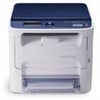
Xerox Phaser 6121 Toner Cartridges
Save to My Printers
Filter Products (5)

Compatible Xerox 6121 High Capacity Toner Value Pack (B/C/M/Y)
Product Code: REXERP6121HCPACK
1 x
Cyan
2,600 Pages
1 x
Magenta
2,600 Pages
1 x
Yellow
2,600 Pages
1 x
Black
2,600 Pages
Printer Warranty Protected
Guaranteed to Work
In Stock - Delivered Thursday
Order Within
144.00
Free Next-Day Delivery
Compatible Xerox 106R01469 Black Toner Cartridge
Product Code: RE106R01469
1 x
Black
2,600 Pages
£
Cost per page 1.54p
Printer Warranty Protected
Guaranteed to Work
In Stock - Delivered Thursday
Order Within
40.00
Free Next-Day Delivery
Compatible Xerox 106R01466 Cyan Toner Cartridge
Product Code: RE106R01466
1 x
Cyan
2,600 Pages
£
Cost per page 1.54p
Printer Warranty Protected
Guaranteed to Work
In Stock - Delivered Thursday
Order Within
40.00
Free Next-Day Delivery
Compatible Xerox 106R01467 Magenta Toner Cartridge
Product Code: RE106R01467
1 x
Magenta
2,600 Pages
£
Cost per page 1.54p
Printer Warranty Protected
Guaranteed to Work
In Stock - Delivered Thursday
Order Within
40.00
Free Next-Day Delivery
Compatible Xerox 106R01468 Yellow Toner Cartridge
Product Code: RE106R01468
1 x
Yellow
2,600 Pages
£
Cost per page 1.54p
Printer Warranty Protected
Guaranteed to Work
In Stock - Delivered Thursday
Order Within
40.00
Free Next-Day Delivery
Frequently Asked Questions
We want you to have the best experience possible when shopping with TonerGiant. With over 20 years’ expertise, our friendly support team is here to help get you printing again quickly. You
can arrange to return a product through our returns form, or by calling us on 0345 365 3605.
If your product becomes faulty
- Original Cartridges: Return for a refund or replacement for up to 12 months.
- Compatible cartridges: Return for a refund or replacement up to 3 years.
Please contact us a soon as possible to request a returns number and arrange a free collection.
If you change your mind - 30 Days to return:
- You have 14 days from delivery to arrange a return and an additional 16 days to return the items to us once arranged (30 Days in total).
- Ordered incorrectly? We’ll provide a returns number and address for you to send to.
- Wrong item arrived – We’ll arrange a free collection of the incorrect product(s) and send a replacement.
After 14 days, you may still be able to return the product, but a 20% restocking fee will apply. After 30 days, returns are at our discretion.
Please note: Printer cartridges must be returned unopened, unused, with all seals intact and in a resalable condition, or returns may not be accepted.
Find more information and our full returns policy on our returns & refunds page.
We don't think you should pay more at the checkout, and we're proud to be one of the only printer cartridge suppliers to offer Free guaranteed next-day delivery to all mainland UK addresses.
Order before 5:30 pm on any working day and so long as the products are in-stock, your order will be delivered on the next-working-day.
Customer Questions (1)
Q
I need to print a test page from this printer. Any instructions on how to do it?
13 February 2026
A
Hi, yes, please follow the instructions below to print out a test page:
On the printers control panel, press the Back/Menu button to enter the system menu. Now press the down arrow and go to information and press the OK button. Select internal pages and press ok. You should now be able to select the test page to print. I hope this information answers your question but if you do need any further help, please feel free to respond.
Need Assistance? We'll be happy to help! Call us on 0345 365 3605