

Menu
Menu
Menu
Menu
Menu
 Free Delivery On Everything
 Exclusive Business Pricing
  Switch & Save With Compatibles
  Feefo Rated 4.7 (25k+ Ratings)
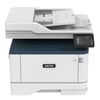
Xerox B305 Toner Cartridges
Save to My Printers
Improve your printer’s efficiency with our range of genuine Xerox B305 toner cartridges. This multifunction printer is built to handle demanding workloads, making high-quality Xerox B305 cartridges essential. Whether you're printing reports, invoices, or marketing materials, our genuine toner ensures professional results every time. Stock up on Xerox B305 cartridges today and enjoy our free next day delivery on all orders!
Filter Products (8)

Compatible Xerox 006R04378 Extra High Capacity Black Toner Cartridge
Product Code: RE006R04378
1 x
Black
20,000 Pages
£
Cost per page 0.78p
Printer Warranty Protected
Guaranteed to Work
In Stock - Delivered Thursday
Order Within
155.00
Free Next-Day Delivery
Compatible Xerox 006R04377 High Capacity Black Toner Cartridge
Product Code: RE006R04377
1 x
Black
8,000 Pages
£
Cost per page 1.19p
Printer Warranty Protected
Guaranteed to Work
In Stock - Delivered Thursday
Order Within
95.00
Free Next-Day Delivery
Compatible Xerox 006R04376 Black Toner Cartridge
Product Code: RE006R04376
1 x
Black
3,000 Pages
£
Cost per page 2.27p
Printer Warranty Protected
Guaranteed to Work
In Stock - Delivered Thursday
Order Within
68.00
Free Next-Day Delivery
Xerox 006R04378 Extra High Capacity Black Toner Cartridge
Product Code: 006R04378
1 x
Black
20,000 Pages
£
Cost per page 1.67p
In Stock - Delivered Thursday
Order Within
333.28
Free Next-Day Delivery
Xerox 006R04377 High Capacity Black Toner Cartridge
Product Code: 006R04377
1 x
Black
8,000 Pages
£
Cost per page 2.04p
In Stock - Delivered Thursday
Order Within
163.23
Free Next-Day Delivery
Xerox 006R04376 Black Toner Cartridge
Product Code: 006R04376
1 x
Black
3,000 Pages
£
Cost per page 3.04p
In Stock - Delivered Thursday
Order Within
91.17
Free Next-Day Delivery
Compatible Xerox 013R00690 Drum Unit
Product Code: RE013R00690
1 x
Maintenance
40,000 Cycles
Printer Warranty Protected
Guaranteed to Work
In Stock - Delivered Thursday
Order Within
42.00
Free Next-Day Delivery
In Stock - Delivered Thursday
Order Within
53.27
Free Next-Day Delivery
Toner Cartridges for the Xerox B305
At TonerGiant, we’re committed to providing you with the best solutions for your Xerox B305 printer. For this reason, we stock genuine Xerox black toner cartridges, ensuring you receive Xerox's trademark consistent quality with every print.
Our range includes three capacity options to suit your printing needs:
- Normal Capacity: Perfect for moderate printing volumes, delivering up to 3,000 pages.
- High Capacity: Ideal for busier offices, printing up to 8,000 pages.
- Extra High Capacity: For high-volume printing environments, offering an impressive 20,000 pages per cartridge.
Remember, all our products come with free next day delivery, allowing you to replenish your supplies quickly and without additional cost.
We also protect every Xerox product with a 6-month warranty, so you can shop with peace of mind.
FAQs
What is a drum unit?
A drum unit is an essential for your printer's imaging system. It's a cylinder coated with a light-sensitive material that transfers toner onto paper. Over time, the drum unit will wear down and reduce your print quality so make sure to replace yours every 6 months. You can find genuine drum units for the Xerox B305 in the maintenance section of this page.
Can Xerox B305 scan double-sided?
Yes, the Xerox B305 comes with an automatic document feeder that can scan both sides of your documents in one go. This feature is a real time-saver, especially when you're dealing with multi-page, double-sided documents.
How do I replace my Xerox toner cartridge?
Replacing your Xerox B305 toner cartridge is very easy. Just open the front cover, gently pull out the old cartridge, and slide in the new one until it clicks into place. Close the cover, and you're all set! The printer will automatically recognise the new cartridge, so there's no need to fiddle with settings.
How to set up email on Xerox B305?
Start by accessing the printer's web interface through your browser. Navigate to the 'Apps' section, select 'Email', and then 'Email Setup'. Enter your email server details, authentication method, and credentials. Don't forget to test the configuration before saving.
Frequently Asked Questions
We want you to have the best experience possible when shopping with TonerGiant. With over 20 years’ expertise, our friendly support team is here to help get you printing again quickly. You
can arrange to return a product through our returns form, or by calling us on 0345 365 3605.
If your product becomes faulty
- Original Cartridges: Return for a refund or replacement for up to 12 months.
- Compatible cartridges: Return for a refund or replacement up to 3 years.
Please contact us a soon as possible to request a returns number and arrange a free collection.
If you change your mind - 30 Days to return:
- You have 14 days from delivery to arrange a return and an additional 16 days to return the items to us once arranged (30 Days in total).
- Ordered incorrectly? We’ll provide a returns number and address for you to send to.
- Wrong item arrived – We’ll arrange a free collection of the incorrect product(s) and send a replacement.
After 14 days, you may still be able to return the product, but a 20% restocking fee will apply. After 30 days, returns are at our discretion.
Please note: Printer cartridges must be returned unopened, unused, with all seals intact and in a resalable condition, or returns may not be accepted.
Find more information and our full returns policy on our returns & refunds page.
We don't think you should pay more at the checkout, and we're proud to be one of the only printer cartridge suppliers to offer Free guaranteed next-day delivery to all mainland UK addresses.
Order before 5:30 pm on any working day and so long as the products are in-stock, your order will be delivered on the next-working-day.
Customer Questions (0)
Be the first to ask a question about this product.
Need Assistance? We'll be happy to help! Call us on 0345 365 3605