

Menu
Menu
Menu
Menu
Menu
 Free Delivery On Everything
 Exclusive Business Pricing
  Switch & Save With Compatibles
  Feefo Rated 4.7 (25k+ Ratings)
Xerox Altalink C8145 Toner Cartridges
Save to My Printers
Don’t let your printer run dry - stock up now with our full range of Xerox Altalink C8145 toner cartridges. Whether you prefer genuine Xerox toner cartridges for manufacturer quality prints or our top quality cost-effective compatible options, we've got every colour you need to keep your AltaLink C8145 printer running smoothly. Place your order before 5.30pm to make the most of our free next day delivery and ensure you’re never caught short on toner.
Filter Products (10)

Compatible Xerox 006R01746 Toner Value Pack (B/C/M/Y)
Product Code: RE006R01746PACK
1 x
Black
36,000 Pages
1 x
Cyan
21,000 Pages
1 x
Magenta
21,000 Pages
1 x
Yellow
21,000 Pages
Printer Warranty Protected
Guaranteed to Work
In Stock - Delivered Thursday
Order Within
307.80
Free Next-Day Delivery
Xerox 006R01746 Toner Value Pack (B/C/M/Y)
Product Code: 006R01746PACK
1 x
Black
36,000 Pages
1 x
Cyan
21,000 Pages
1 x
Magenta
21,000 Pages
1 x
Yellow
21,000 Pages
In Stock - Delivered Thursday
Order Within
567.78
Free Next-Day Delivery
Compatible Xerox 006R01746 Black Toner Cartridge
Product Code: RE006R01746
1 x
Black
36,000 Pages
£
Cost per page 0.25p
Printer Warranty Protected
Guaranteed to Work
In Stock - Delivered Thursday
Order Within
90.00
Free Next-Day Delivery
Xerox 006R01746 Black Toner Cartridge
Product Code: 006R01746
1 x
Black
36,000 Pages
£
Cost per page 0.25p
In Stock - Delivered Thursday
Order Within
90.25
Free Next-Day Delivery
Compatible Xerox 006R01747 Cyan Toner Cartridge
Product Code: RE006R01747
1 x
Cyan
21,000 Pages
£
Cost per page 0.40p
Printer Warranty Protected
Guaranteed to Work
In Stock - Delivered Thursday
Order Within
84.00
Free Next-Day Delivery
Xerox 006R01747 Cyan Toner Cartridge
Product Code: 006R01747
1 x
Cyan
21,000 Pages
£
Cost per page 0.79p
In Stock - Delivered Thursday
Order Within
165.03
Free Next-Day Delivery
Compatible Xerox 006R01748 Magenta Toner Cartridge
Product Code: RE006R01748
1 x
Magenta
21,000 Pages
£
Cost per page 0.40p
Printer Warranty Protected
Guaranteed to Work
In Stock - Delivered Thursday
Order Within
84.00
Free Next-Day Delivery
Xerox 006R01748 Magenta Toner Cartridge
Product Code: 006R01748
1 x
Magenta
21,000 Pages
£
Cost per page 0.79p
In Stock - Delivered Thursday
Order Within
165.03
Free Next-Day Delivery
Compatible Xerox 006R01749 Yellow Toner Cartridge
Product Code: RE006R01749
1 x
Yellow
21,000 Pages
£
Cost per page 0.40p
Printer Warranty Protected
Guaranteed to Work
In Stock - Delivered Thursday
Order Within
84.00
Free Next-Day Delivery
Xerox 006R01749 Yellow Toner Cartridge
Product Code: 006R01749
1 x
Yellow
21,000 Pages
£
Cost per page 0.79p
In Stock - Delivered Thursday
Order Within
165.03
Free Next-Day Delivery
Toner Cartridges for the Xerox Altalink C8145
The C8145 printer uses four separate cartridges: black, cyan, magenta and yellow. At TonerGiant, we’ve got you covered with options to suit every budget and preference:
- Genuine Xerox Altalink C8145 toner cartridges for fast printing and great performance
- Cost-effective compatible cartridges for great value and superb quality prints.
- Convenient toner value packs in both genuine and compatible options – perfect for busy offices
Browse our selection of Xerox Altalink C8145 toner cartridges on this page and shop with confidence knowing that every cartridge comes with a guarantee! (6 months for Xerox products and 3 years
for our compatible range).
Features of the Xerox AltaLink C8145
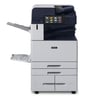
The Xerox AltaLink C8145 is a multifunction colour printer, designed for medium to large businesses. It offers print speeds of up to 45 pages per minute in both colour and black and white, and
supports various paper sizes. Key features include:
- 10.1 inch customisable touchscreen
- ConnectKey technology
- Comprehensive security build in
- 1200 x 2400 dpi maximum resolution
FAQs:
How many pages can I print with each colour cartridge for the AltaLink C8145?
The Xerox AltaLink C8145 offers impressive page yields. Typically, the black toner cartridge can print up to 26,000 pages, while each colour cartridge (cyan, magenta, and yellow) can produce
around 15,000 pages. Keep in mind that these are estimates and actual yields may vary depending on your specific printing habits and document types.
How can I check the toner levels?
You’ll find a graph showing the levels for all four colours on the touch screen of your AltaLink printer. If you prefer, you can also check from your computer by accessing the printer’s web
interface. Just open a web browser, type in your printer's IP address, and you'll find detailed information about your toner levels.
What's the shelf life of Xerox C8145 toner cartridges?
When stored properly in a cool, dry place, unopened cartridges typically have a shelf life of about two years from the date of manufacture. Once installed in the printer, it's best to use them
within a year for optimal print quality. Don’t worry - your printer will show you when it’s time for a replacement.
How do I optimise toner usage on my Xerox AltaLink C8145?
There are several easy ways to make your toner last longer. Print in grayscale when colour isn't necessary, and always preview before printing to avoid unnecessary pages. The AltaLink C8145 also
has built-in features like double-sided printing and N-up printing that can help reduce toner use. Using genuine Xerox toner or high-quality compatibles will also improve efficiency and reduce
waste.
Frequently Asked Questions
We want you to have the best experience possible when shopping with TonerGiant. With over 20 years’ expertise, our friendly support team is here to help get you printing again quickly. You
can arrange to return a product through our returns form, or by calling us on 0345 365 3605.
If your product becomes faulty
- Original Cartridges: Return for a refund or replacement for up to 12 months.
- Compatible cartridges: Return for a refund or replacement up to 3 years.
Please contact us a soon as possible to request a returns number and arrange a free collection.
If you change your mind - 30 Days to return:
- You have 14 days from delivery to arrange a return and an additional 16 days to return the items to us once arranged (30 Days in total).
- Ordered incorrectly? We’ll provide a returns number and address for you to send to.
- Wrong item arrived – We’ll arrange a free collection of the incorrect product(s) and send a replacement.
After 14 days, you may still be able to return the product, but a 20% restocking fee will apply. After 30 days, returns are at our discretion.
Please note: Printer cartridges must be returned unopened, unused, with all seals intact and in a resalable condition, or returns may not be accepted.
Find more information and our full returns policy on our returns & refunds page.
We don't think you should pay more at the checkout, and we're proud to be one of the only printer cartridge suppliers to offer Free guaranteed next-day delivery to all mainland UK addresses.
Order before 5:30 pm on any working day and so long as the products are in-stock, your order will be delivered on the next-working-day.
Customer Questions (0)
Be the first to ask a question about this product.
Need Assistance? We'll be happy to help! Call us on 0345 365 3605