

Menu
Menu
Menu
Menu
Menu
 Free Delivery On Everything
 Exclusive Business Pricing
  Switch & Save With Compatibles
  Feefo Rated 4.7 (25k+ Ratings)
Xerox Altalink C8130 Toner Cartridges
Save to My Printers
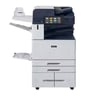
The Xerox Altalink C8130 printer is best of the class - ensure it prints seamlessly with our range of reliable Xerox Altalink C8130 toner cartridges. Make your choice between compatible and genuine cartridges, each delivered to you with FREE next day delivery. Or, shop toner value packs for the best possible savings.
Filter Products (10)

Compatible Xerox 006R01746 Toner Value Pack (B/C/M/Y)
Product Code: RE006R01746PACK
1 x
Black
36,000 Pages
1 x
Cyan
21,000 Pages
1 x
Magenta
21,000 Pages
1 x
Yellow
21,000 Pages
Printer Warranty Protected
Guaranteed to Work
In Stock - Delivered Thursday
Order Within
307.80
Free Next-Day Delivery
Xerox 006R01746 Toner Value Pack (B/C/M/Y)
Product Code: 006R01746PACK
1 x
Black
36,000 Pages
1 x
Cyan
21,000 Pages
1 x
Magenta
21,000 Pages
1 x
Yellow
21,000 Pages
In Stock - Delivered Thursday
Order Within
567.78
Free Next-Day Delivery
Compatible Xerox 006R01746 Black Toner Cartridge
Product Code: RE006R01746
1 x
Black
36,000 Pages
£
Cost per page 0.25p
Printer Warranty Protected
Guaranteed to Work
In Stock - Delivered Thursday
Order Within
90.00
Free Next-Day Delivery
Xerox 006R01746 Black Toner Cartridge
Product Code: 006R01746
1 x
Black
36,000 Pages
£
Cost per page 0.25p
In Stock - Delivered Thursday
Order Within
90.25
Free Next-Day Delivery
Compatible Xerox 006R01747 Cyan Toner Cartridge
Product Code: RE006R01747
1 x
Cyan
21,000 Pages
£
Cost per page 0.40p
Printer Warranty Protected
Guaranteed to Work
In Stock - Delivered Thursday
Order Within
84.00
Free Next-Day Delivery
Xerox 006R01747 Cyan Toner Cartridge
Product Code: 006R01747
1 x
Cyan
21,000 Pages
£
Cost per page 0.79p
In Stock - Delivered Thursday
Order Within
165.03
Free Next-Day Delivery
Compatible Xerox 006R01748 Magenta Toner Cartridge
Product Code: RE006R01748
1 x
Magenta
21,000 Pages
£
Cost per page 0.40p
Printer Warranty Protected
Guaranteed to Work
In Stock - Delivered Thursday
Order Within
84.00
Free Next-Day Delivery
Xerox 006R01748 Magenta Toner Cartridge
Product Code: 006R01748
1 x
Magenta
21,000 Pages
£
Cost per page 0.79p
In Stock - Delivered Thursday
Order Within
165.03
Free Next-Day Delivery
Compatible Xerox 006R01749 Yellow Toner Cartridge
Product Code: RE006R01749
1 x
Yellow
21,000 Pages
£
Cost per page 0.40p
Printer Warranty Protected
Guaranteed to Work
In Stock - Delivered Thursday
Order Within
84.00
Free Next-Day Delivery
Xerox 006R01749 Yellow Toner Cartridge
Product Code: 006R01749
1 x
Yellow
21,000 Pages
£
Cost per page 0.79p
In Stock - Delivered Thursday
Order Within
165.03
Free Next-Day Delivery
Toner Cartridges for the Xerox Altalink C8130
The Xerox Altalink C8130 needs black, cyan, magenta, and yellow toner cartridges to produce its high-quality prints. When replacing these cartridges, you have the option between genuine and compatible cartridges, but what’s the difference?
Genuine cartridges: produced by Xerox, deliver consistently high-quality results, but typically cost more than compatible options.
Compatible cartridges: produced by TonerGiant’s third-party manufacturer. Provide the same reliable results, and will have no impact on your printer’s warranty.
As well as individual Xerox Altalink C8130 toner cartridges, you’ll also find our toner value packs on this page. With a value pack, you receive all four cartridges, at a hugely discounted price!
Features of the Xerox AltaLink C8130
The Xerox AltaLink C8130 is a fantastic, multifunction printer, with lots of advanced functions. With the PrintByXerox App, you can print, copy and even scan, all from your mobile phone. Plus, with features like AltaLink’s imaging security, your sensitive documents are protected. It delivers exceptional print quality with a high resolution of 1200 x 2400 dpi, and the user experience is equally impressive. A 10.1 inch colour touchscreen makes printing nice and easy for your team, allowing for quick copying and printing in just a few taps.
FAQs:
How do I change the toner in my Xerox Altalink?
To install your new toner cartridge into a Xerox Altalink C8130 printer, simply follow these steps:
- Open the front cover of your printer and locate the cartridge you need to replace - each cartridge will be clearly labelled with its colour.
- Remove the used toner cartridge by pulling the handle on the cartridge.
- Take the new cartridge from its packaging and avoid touching the drum surface.
- Shake the new cartridge gently - this will distribute the toner evenly.
- Align the new cartridge with the corresponding slot in the printer and push it in until you hear a click.
Is the Xerox AltaLink C8130 inkjet or laser?
The Xerox AltaLink C8130 is a laser printer; this means that it uses toner cartridges of powdered toner, rather than liquid ink. Laser printers are known for their sharper text and graphics, making them ideal for an office where professional-quality prints are required.
Frequently Asked Questions
We want you to have the best experience possible when shopping with TonerGiant. With over 20 years’ expertise, our friendly support team is here to help get you printing again quickly. You
can arrange to return a product through our returns form, or by calling us on 0345 365 3605.
If your product becomes faulty
- Original Cartridges: Return for a refund or replacement for up to 12 months.
- Compatible cartridges: Return for a refund or replacement up to 3 years.
Please contact us a soon as possible to request a returns number and arrange a free collection.
If you change your mind - 30 Days to return:
- You have 14 days from delivery to arrange a return and an additional 16 days to return the items to us once arranged (30 Days in total).
- Ordered incorrectly? We’ll provide a returns number and address for you to send to.
- Wrong item arrived – We’ll arrange a free collection of the incorrect product(s) and send a replacement.
After 14 days, you may still be able to return the product, but a 20% restocking fee will apply. After 30 days, returns are at our discretion.
Please note: Printer cartridges must be returned unopened, unused, with all seals intact and in a resalable condition, or returns may not be accepted.
Find more information and our full returns policy on our returns & refunds page.
We don't think you should pay more at the checkout, and we're proud to be one of the only printer cartridge suppliers to offer Free guaranteed next-day delivery to all mainland UK addresses.
Order before 5:30 pm on any working day and so long as the products are in-stock, your order will be delivered on the next-working-day.
Customer Questions (0)
Be the first to ask a question about this product.
Need Assistance? We'll be happy to help! Call us on 0345 365 3605