

Menu
Menu
Menu
Menu
Menu
 Free Delivery On Everything
 Exclusive Trade Pricing
  Switch & Save With Compatibles
  Feefo Rated 4.7 (25k+ Ratings)
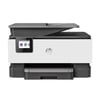
HP Officejet Pro 9010 Ink Cartridges
Save to My Printers
Whether you use this HP device in your home or in an office environment, you'll eventually need to replace the ink and in this instance, shopping with TonerGiant is a great option. As well as competitively priced HP Officejet Pro 9010 ink cartridges, we also offer free delivery on all purchases and our team are on hand to answer any queries you may have while placing your order. Shop our selection of ink below and find what you need to get that printer back up and running again.
Filter Products (16)

Compatible HP 963XL High Capacity Ink Cartridge (B/C/M/Y)
Product Code: RE3JA30AEPACK
1 x
Black
2,000 Pages
1 x
Cyan
1,600 Pages
1 x
Magenta
1,600 Pages
1 x
Yellow
1,600 Pages
Printer Warranty Protected
Guaranteed to Work
In Stock - Delivered Tuesday
Order Within
75.60
Free Next-Day Delivery
HP 963XL High Capacity Ink Cartridge Multipack
Product Code: 3YP35AEPACK
1 x
Cyan
1,600 Pages
1 x
Black
2,000 Pages
1 x
Magenta
1,600 Pages
1 x
Yellow
1,600 Pages
In Stock - Delivered Tuesday
Order Within
130.21
Free Next-Day Delivery
HP 963 Ink Cartridge Multipack (B/C/M/Y)
Product Code: 6ZC70AE
1 x
Black
1,000 Pages
1 x
Cyan
700 Pages
1 x
Magenta
700 Pages
1 x
Yellow
700 Pages
In Stock - Delivered Tuesday
Order Within
86.04
Free Next-Day Delivery
Compatible HP 963XL High Capacity Black Ink - 3 Pack
Product Code: RE3JA30AE-3PACK
1 x
Black
2,000 Pages
1 x
Black
2,000 Pages
1 x
Black
2,000 Pages
Printer Warranty Protected
Guaranteed to Work
In Stock - Delivered Tuesday
Order Within
58.16
Free Next-Day Delivery
Compatible HP 963XL High Capacity Black Ink Cartridge
Product Code: RE3JA30AE
1 x
Black
2,000 Pages
£
Cost per page 1.08p
Printer Warranty Protected
Guaranteed to Work
In Stock - Delivered Tuesday
Order Within
21.54
Free Next-Day Delivery
HP 963XL High Capacity Black Ink Cartridge
Product Code: 3JA30AE
1 x
Black
2,000 Pages
£
Cost per page 2.22p
In Stock - Delivered Tuesday
Order Within
44.32
Free Next-Day Delivery
In Stock - Delivered Tuesday
Order Within
29.04
Free Next-Day Delivery
Compatible HP 963XL High Capacity Cyan Ink Cartridge
Product Code: RE3JA27AE
1 x
Cyan
1,600 Pages
£
Cost per page 1.30p
Printer Warranty Protected
Guaranteed to Work
In Stock - Delivered Tuesday
Order Within
20.82
Free Next-Day Delivery
HP 963XL High Capacity Cyan Ink Cartridge
Product Code: 3JA27AE
1 x
Cyan
1,600 Pages
£
Cost per page 2.09p
In Stock - Delivered Tuesday
Order Within
33.45
Free Next-Day Delivery
In Stock - Delivered Tuesday
Order Within
21.25
Free Next-Day Delivery
Compatible HP 963XL High Capacity Magenta Ink Cartridge
Product Code: RE3JA28AE
1 x
Magenta
1,600 Pages
£
Cost per page 1.30p
Printer Warranty Protected
Guaranteed to Work
In Stock - Delivered Tuesday
Order Within
20.82
Free Next-Day Delivery
HP 963XL High Capacity Magenta Ink Cartridge
Product Code: 3JA28AE
1 x
Magenta
1,600 Pages
£
Cost per page 2.09p
In Stock - Delivered Tuesday
Order Within
33.46
Free Next-Day Delivery
In Stock - Delivered Tuesday
Order Within
21.25
Free Next-Day Delivery
Compatible HP 963XL High Capacity Yellow Ink Cartridge
Product Code: RE3JA29AE
1 x
Yellow
1,600 Pages
£
Cost per page 1.30p
Printer Warranty Protected
Guaranteed to Work
In Stock - Delivered Tuesday
Order Within
20.82
Free Next-Day Delivery
HP 963XL High Capacity Yellow Ink Cartridge
Product Code: 3JA29AE
1 x
Yellow
1,600 Pages
£
Cost per page 2.09p
In Stock - Delivered Tuesday
Order Within
33.45
Free Next-Day Delivery
In Stock - Delivered Tuesday
Order Within
21.25
Free Next-Day Delivery
Ink Cartridges for the HP Officejet Pro 9010
All of the products listed above are compatible with the 9010 printer. This means that you won't need to worry about error codes or cartridges that don't fit when they arrive. Depending on how
much you print, you may need to opt for an XL cartridge.
These high capacity products produce a higher number of pages and work out to be more cost-effective if you print regularly. For example, the HP 963L black ink cartridge produces 1,000 more pages
than the standard model! You'll also find ink value packs available, featuring black and CMY inks offering everything you need in one product offering.
Free delivery on all orders
We want our customers to receive their purchases quickly and not pay an arm and a leg for delivery. This is why, no matter how much you spend, delivery is completely free. Plus, orders placed on
a weekday and before 5.30pm can also take advantage of our next working day delivery service. Simply select this at the checkout. Have a query? Leave a comment below and you'll hear back from our
team soon.
What our expert says about the HP OfficeJet Pro 9010
The HP OfficeJet Pro 9010 All-in-One Printer is a versatile device designed to meet the demands of small to medium-sized offices. Combining printing, scanning, copying, and faxing capabilities,
it offers a comprehensive solution for various business tasks.
Pros
One of the standout features of the HP OfficeJet Pro 9010 is its fast printing speeds, reaching up to 22 pages per minute (ppm) for black and white documents and 18 ppm for colour, ensuring
efficiency in busy work environments. The printer's automatic duplex printing and a 35-sheet automatic document feeder (ADF) facilitate seamless double-sided printing and scanning, saving both
time and paper.
With a 250-sheet input tray, it can handle substantial print jobs without frequent paper reloads. Additionally, the device boasts various connectivity options, including Ethernet, Wi-Fi, Wi-Fi
Direct, USB, and Bluetooth, allowing for flexible integration into different office setups. The 6.9 cm colour touchscreen enhances user experience by providing easy navigation through its
functions.
Cons
Despite its many advantages, the OfficeJet Pro 9010 has some limitations. Some users have reported connectivity issues, particularly with maintaining a stable wireless connection, which can
disrupt workflow. The printer operates with a four-cartridge system, and while this allows for individual colour replacement, the cost of genuine HP ink cartridges can be relatively high,
impacting long-term operating expenses. Additionally, the device lacks a secondary paper input source, which may be a drawback for offices that frequently switch between different paper types or
sizes.
Key Features:
- Multifunctionality: Print, scan, copy, and fax capabilities in one device.
- Fast Printing Speeds: Up to 22 ppm for black and white documents.
- Automatic Duplexing: Supports double-sided printing and scanning.
- Versatile Connectivity: Offers Ethernet, Wi-Fi, Wi-Fi Direct, USB, and Bluetooth options.
In summary, the HP OfficeJet Pro 9010 is a robust all-in-one printer that delivers high-quality performance suitable for small to medium-sized offices. Its speed, multifunctionality, and
connectivity options make it a valuable asset, though potential buyers should consider the ongoing costs associated with ink cartridges and be aware of possible connectivity challenges.
Frequently Asked Questions
We want you to have the best experience possible when shopping with TonerGiant. With over 20 years’ expertise, our friendly support team is here to help get you printing again quickly. You
can arrange to return a product through our returns form, or by calling us on 0345 365 3605.
If your product becomes faulty
- Original Cartridges: Return for a refund or replacement for up to 12 months.
- Compatible cartridges: Return for a refund or replacement up to 3 years.
Please contact us a soon as possible to request a returns number and arrange a free collection.
If you change your mind - 30 Days to return:
- You have 14 days from delivery to arrange a return and an additional 16 days to return the items to us once arranged (30 Days in total).
- Ordered incorrectly? We’ll provide a returns number and address for you to send to.
- Wrong item arrived – We’ll arrange a free collection of the incorrect product(s) and send a replacement.
After 14 days, you may still be able to return the product, but a 20% restocking fee will apply. After 30 days, returns are at our discretion.
Please note: Printer cartridges must be returned unopened, unused, with all seals intact and in a resalable condition, or returns may not be accepted.
Find more information and our full returns policy on our returns & refunds page.
We don't think you should pay more at the checkout, and we're proud to be one of the only printer cartridge suppliers to offer Free guaranteed next-day delivery to all mainland UK addresses.
Order before 5:30 pm on any working day and so long as the products are in-stock, your order will be delivered on the next-working-day.
Customer Questions (2)
Q
I have the HP OFFICEJET PRO 9010e series printer.
The cartridges C and Y are low and it will not allow me to print with just grayscale. Do I need to buy ALL the cartridges to resume printing?
12 June 2025
A
Thanks for your question! Yes, generally with inkjet machines using multiple colour cartridges, you need all cartridges with at least some ink present to continue printing. This is because small amounts of all colours are used during the printing process to achieve different tones.
Q
Hi, my printer is an HP Office Jet Pro 9010e.
Is the 'e' important when choosing your cartridges as it only says 9010 in the search facility?
09 December 2022
A
Hi there, no this does not matter as the HP Office Jet Pro 9010e uses the same cartridges as the HP Office Jet Pro 9010. I will add your printer variation to our website now in order to make selecting your correct cartridges easier in the future.
Need Assistance? We'll be happy to help! Call us on 0345 365 3605