Go to top
Item added to basket - Click here to view

My printer added - Click here to view

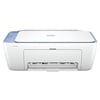
HP Deskjet 2800e Ink Cartridges

Save to My Printers
HP DeskJet 2800e ink cartridges are designed to work seamlessly with your printer, giving you crisp black text, and vibrant colour prints every time. This printer uses the HP 305 and HP 305XL ink cartridges, available in both black and tri-colour versions. The standard HP 305 ink cartridges are a good choice for light, occasional use, while the XL high-yield versions are recommended if you print more frequently. HP 305XL ink cartridges last much longer, reduce the cost per page, and mean fewer cartridge changes.
HP + Printers - please note this is an HP 'e' model printer. Once the HP plus service is activated on your printer, it will only accept original HP cartridges.

Filter Products (5)

Ink Value Packs

HP 305 Black & Tri Colour Ink Cartridge Multipack (B/C/M/Y)
£25.20
£30.24 inc VAT
In Stock - Delivered Tuesday
Order Within

Black Cartridges For HP Deskjet 2800e printers

HP 305XL High Capacity Black Ink Cartridge
£22.09
£26.51 inc VAT
In Stock - Delivered Tuesday
Order Within
HP 305 Black Ink Cartridge
Product Code: 3YM61AE
£13.13
£15.76 inc VAT
In Stock - Delivered Tuesday
Order Within

CMY Cartridges For HP Deskjet 2800e printers

HP 305XL Tri-Colour Ink Cartridge
£19.60
£23.52 inc VAT
In Stock - Delivered Tuesday
Order Within
HP 305 Tri-Colour Ink Cartridge
Product Code: 3YM60AE
£13.13
£15.76 inc VAT
In Stock - Delivered Tuesday
Order Within

Frequently Asked Questions

What is the returns policy and how do I return a cartridge?
We want you to have the best experience possible when shopping with TonerGiant. With over 20 years’ expertise, our friendly support team is here to help get you printing again quickly. You can arrange to return a product through our returns form, or by calling us on 0345 365 3605.
If your product becomes faulty
  • Original Cartridges: Return for a refund or replacement for up to 12 months.
  • Compatible cartridges: Return for a refund or replacement up to 3 years.
Please contact us a soon as possible to request a returns number and arrange a free collection.

If you change your mind - 30 Days to return:
  • You have 14 days from delivery to arrange a return and an additional 16 days to return the items to us once arranged (30 Days in total).
  • Ordered incorrectly? We’ll provide a returns number and address for you to send to.
  • Wrong item arrived – We’ll arrange a free collection of the incorrect product(s) and send a replacement.
After 14 days, you may still be able to return the product, but a 20% restocking fee will apply. After 30 days, returns are at our discretion.
Please note: Printer cartridges must be returned unopened, unused, with all seals intact and in a resalable condition, or returns may not be accepted.

Find more information and our full returns policy on our returns & refunds page.
How much does delivery cost and how long will it take?
We don't think you should pay more at the checkout, and we're proud to be one of the only printer cartridge suppliers to offer Free guaranteed next-day delivery to all mainland UK addresses.
Order before 5:30 pm on any working day and so long as the products are in-stock, your order will be delivered on the next-working-day.
Why should I trust TonerGiant for my printer cartridges?
TonerGiant has been supplying ink and toner cartridges to UK homes and businesses for over 15 years. We’re a trusted retailer with thousands of satisfied customers, backed by excellent service ratings on independent review platforms such as Feefo. All our products come with free delivery, and dedicated customer support, so you can buy with complete confidence.
Why don't you sell compatible ink cartridges for the HP Deskjet 2800e printer?
THe HP DeskJet 2800e only accepts original HP 305 and HP 305XL ink cartridges. As part of HP’s “e-series” range, this printer is designed to work exclusively with HP cartridges.

Customer Questions (1)


Q
How di I install a new cartridge in the HP deskjet 2800e?
21 November 2025
A
Hi, to install a new cartridge in your HP deskjet 2800e, the printer needs to be plugged in and switched on. open the printer door on the top or front and the cartridge will move to the centre. Press it down until it clicks and you will then be able to remove the empty ink cartridge so you can replace it with the new one.

Need Assistance? We'll be happy to help! Call us on 0345 365 3605