Go to top
Item added to basket - Click here to view

My printer added - Click here to view

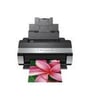
Epson Stylus Photo R2880 Ink Cartridges

Save to My Printers
When you need to buy replacement Epson Stylus Photo R2880 ink, TonerGiant has the full range available at amazingly low prices. You can buy any of the ink cartridges separately or perhaps choose one of our Multipacks which represent the most cost effective way to buy ink for the R2880 printer. Everything you buy from TonerGiant comes with our 100% satisfaction guarantee and is shipped by next-day delivery at no extra cost.

Filter Products (11)

Ink Value Packs

Premium Recycled T0961-T0969 Ink Cartridge Multipack
Guaranteed for 3 Years
£80.42
£96.50 inc VAT
In Stock - Delivered Wednesday
Order Within

Black Cartridges For Epson Stylus Photo R2880 printers

Premium Recycled T0961 Photo Black Ink Cartridge
Guaranteed for 3 Years
£11.09
£13.31 inc VAT
In Stock - Delivered Wednesday
Order Within
Premium Recycled T0967 Light Black Ink Cartridge
Guaranteed for 3 Years
£10.10
£12.12 inc VAT
In Stock - Delivered Wednesday
Order Within
Premium Recycled T0968 Matte Black Ink Cartridge
Guaranteed for 3 Years
£10.10
£12.12 inc VAT
In Stock - Delivered Wednesday
Order Within
Premium Recycled T0969 Light Light Black Ink Cartridge
Guaranteed for 3 Years
£9.59
£11.51 inc VAT
In Stock - Delivered Wednesday
Order Within
Epson T0961 Photo Black Ink Cartridge
Product Code: C13T09614010
£12.79
£15.35 inc VAT
Back In Stock Soon
Dispatched when stock returns

Cyan Cartridges For Epson Stylus Photo R2880 printers

Premium Recycled T0962 Cyan Ink Cartridge
Guaranteed for 3 Years
£10.10
£12.12 inc VAT
In Stock - Delivered Wednesday
Order Within

Lt Cyan Cartridges For Epson Stylus Photo R2880 printers

Premium Recycled T0965 Light Cyan Ink Cartridge
Guaranteed for 3 Years
£10.10
£12.12 inc VAT
In Stock - Delivered Wednesday
Order Within

Lt Mag Cartridges For Epson Stylus Photo R2880 printers

Premium Recycled T0966 Light Magenta Ink Cartridge
Guaranteed for 3 Years
£10.10
£12.12 inc VAT
In Stock - Delivered Wednesday
Order Within

Magenta Cartridges For Epson Stylus Photo R2880 printers

Premium Recycled T0963 Magenta Ink Cartridge
Guaranteed for 3 Years
£9.09
£10.91 inc VAT
In Stock - Delivered Wednesday
Order Within

Yellow Cartridges For Epson Stylus Photo R2880 printers

Premium Recycled T0964 Yellow Ink Cartridge
Guaranteed for 3 Years
£9.09
£10.91 inc VAT
In Stock - Delivered Wednesday
Order Within

Ink Cartridges for the Epson Stylus Photo R2880

The Epson Stylus Photo R2880 is capable of print high quality professional prints using a total of 8 separate ink cartridges. However, there are 2 interchangable black cartridges meaning there are potentially 9 cartridges to buy. Depending on your desired result you can use the Matte black ink or the Photo black ink cartridge.
Here at TonerGiant we stock the full range (T0961 - T0969) of inks for the R2880 printer. You can buy any of the ink cartridges separately, but we recommend the T0961 ink cartridge multipack as this contains all 9 inks and is the cheapest way to replace all your cartridges.
The Epson Stylus Photo R2880 hasn't been available to buy from new for a number of years, so the genuine Epson ink cartridges have very limited availability. Fear not, because TonerGiant offer a range of premium compatible cartridges which are every bit as good as their Epson counterparts. What's more, they are readily available from stock and you'll get the same high quality print results at a fraction of the price. Full details along with details of our 3-year warranty can be found on our webpage.

Enjoy Free Next-day delivery on Epson Stylus Photo R2880 ink cartridges.

Yes, we have no minimum order value to qualify for our guranteed next-day delivery service. Whether, you order a single cartridge or the full Toner Value Pack, we'll send your order next-day at no extra cost.

Frequently Asked Questions

What is the returns policy and how do I return a cartridge?
We want you to have the best experience possible when shopping with TonerGiant. With over 20 years’ expertise, our friendly support team is here to help get you printing again quickly. You can arrange to return a product through our returns form, or by calling us on 0345 365 3605.
If your product becomes faulty
  • Original Cartridges: Return for a refund or replacement for up to 12 months.
  • Compatible cartridges: Return for a refund or replacement up to 3 years.
Please contact us a soon as possible to request a returns number and arrange a free collection.

If you change your mind - 30 Days to return:
  • You have 14 days from delivery to arrange a return and an additional 16 days to return the items to us once arranged (30 Days in total).
  • Ordered incorrectly? We’ll provide a returns number and address for you to send to.
  • Wrong item arrived – We’ll arrange a free collection of the incorrect product(s) and send a replacement.
After 14 days, you may still be able to return the product, but a 20% restocking fee will apply. After 30 days, returns are at our discretion.
Please note: Printer cartridges must be returned unopened, unused, with all seals intact and in a resalable condition, or returns may not be accepted.

Find more information and our full returns policy on our returns & refunds page.
How much does delivery cost and how long will it take?
We don't think you should pay more at the checkout, and we're proud to be one of the only printer cartridge suppliers to offer Free guaranteed next-day delivery to all mainland UK addresses.
Order before 5:30 pm on any working day and so long as the products are in-stock, your order will be delivered on the next-working-day.
Which ink cartridges does the Epson Stylus Photo R2880 use?
Cartridge model numbers: Photo Black – T0961 Cyan – T0962 Vivid Magenta – T0963 Yellow – T0964 Light Cyan – T0965 Vivid Light Magenta – T0966 Light Black – T0967 Matte Black – T0968 Each ink cartridge is individual, allowing single-colour replacement.
How do I replace the ink cartridges in the Epson Stylus Photo R2880?
Turn on the printer and open the top cover. Press the ink button to move the carriage to the replacement position. Squeeze the tab at the back of the old cartridge and lift it out. Shake the new cartridge gently before unwrapping. Insert it into the correct colour slot until it clicks. Close the cover and press the ink button again to charge the ink system.

Customer Questions (0)

Be the first to ask a question about this product.

Need Assistance? We'll be happy to help! Call us on 0345 365 3605