

Menu
Menu
Menu
Menu
Menu
 Free Delivery On Everything
 Exclusive Business Pricing
  Switch & Save With Compatibles
  Feefo Rated 4.7 (25k+ Ratings)
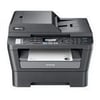
Brother MFC-7460DN Toner Cartridges
Save to My Printers
This Brother printer is equipped to take on the heavy workload of a busy office. This device only uses suitable Brother MFC-7460DN toner cartridges from the TN2210 and TN2220 range, which you'll find conveniently listed below.
Choose our high quality own brand compatible cartridges to make huge savings and enjoy the same quality as genuine Brother products. When you buy our compatible TN2220 or TN2210 toners, they come with a massive 3 year guarantee, so you can feel absolutely sure that when you use our toner, it will be of the highest quality.
We also offer free delivery on all purchases. If you require your Brother MFC-7460DN toner quicky, make your order before 5:30pm to qualify for free next day delivery. If you have any more questions, we will come back to you as soon as we can, leave your question in the comments section at the bottom of the page.
Filter Products (7)

Compatible Brother TN2220 Black Toner Cartridge 3 Pack
Product Code: RETN2220PACK
1 x
Black
2,600 Pages
1 x
Black
2,600 Pages
1 x
Black
2,600 Pages
Printer Warranty Protected
Guaranteed to Work
In Stock - Delivered Wednesday
Order Within
88.66
Free Next-Day Delivery
Compatible Brother TN2220 Black Toner Cartridge
Product Code: RETN2220
1 x
Black
2,600 Pages
£
Cost per page 1.23p
Printer Warranty Protected
Guaranteed to Work
In Stock - Delivered Wednesday
Order Within
31.95
Free Next-Day Delivery
Compatible Brother TN2210 Black Toner Cartridge
Product Code: RETN2210
1 x
Black
1,200 Pages
£
Cost per page 0.65p
Printer Warranty Protected
Guaranteed to Work
In Stock - Delivered Wednesday
Order Within
7.80
Free Next-Day Delivery
Brother TN2220 Laser Toner Cartridge
Product Code: TN2220
1 x
Black
2,600 Pages
£
Cost per page 2.37p
In Stock - Delivered Wednesday
Order Within
61.67
Free Next-Day Delivery
Brother TN2210 Laser Toner Cartridge
Product Code: TN2210
1 x
Black
1,200 Pages
£
Cost per page 3.41p
In Stock - Delivered Wednesday
Order Within
40.89
Free Next-Day Delivery
Compatible Brother DR2200 Drum Unit
Product Code: REDR2200
1 x
Maintenance
12,000 Cycles
Printer Warranty Protected
Guaranteed to Work
In Stock - Delivered Wednesday
Order Within
15.60
Free Next-Day Delivery
In Stock - Delivered Wednesday
Order Within
73.09
Free Next-Day Delivery
Frequently Asked Questions
We want you to have the best experience possible when shopping with TonerGiant. With over 20 years’ expertise, our friendly support team is here to help get you printing again quickly. You
can arrange to return a product through our returns form, or by calling us on 0345 365 3605.
If your product becomes faulty
- Original Cartridges: Return for a refund or replacement for up to 12 months.
- Compatible cartridges: Return for a refund or replacement up to 3 years.
Please contact us a soon as possible to request a returns number and arrange a free collection.
If you change your mind - 30 Days to return:
- You have 14 days from delivery to arrange a return and an additional 16 days to return the items to us once arranged (30 Days in total).
- Ordered incorrectly? We’ll provide a returns number and address for you to send to.
- Wrong item arrived – We’ll arrange a free collection of the incorrect product(s) and send a replacement.
After 14 days, you may still be able to return the product, but a 20% restocking fee will apply. After 30 days, returns are at our discretion.
Please note: Printer cartridges must be returned unopened, unused, with all seals intact and in a resalable condition, or returns may not be accepted.
Find more information and our full returns policy on our returns & refunds page.
We don't think you should pay more at the checkout, and we're proud to be one of the only printer cartridge suppliers to offer Free guaranteed next-day delivery to all mainland UK addresses.
Order before 5:30 pm on any working day and so long as the products are in-stock, your order will be delivered on the next-working-day.
Customer Questions (1)
Q
I have replaced the drum unit but a message still comes up replace the drum and the copier won't start.
03 June 2016
A
Hi Alan, the best way to reset the printer and drum counter for the MFC7460dn printer is to try the following... Firstly turn off the printer and unplug it, then please carefully take all of the cartridges out of the printer including the drum unit and toner cartridges. Then wait 1 or 2 minutes. Replace the drum unit and toner cartridges with the printer. You'll still get the message to "Change Drum Soon/Drum end soon" so you will need to reset the counter when you replace the drum unit. To do this turn on the printer, then press > Options or Clear/Back on the control panel.
If your Brother machine has a numeric keypad:
Press 1 to reset the drum counter.
If your Brother machine doesn't have a numeric keypad:
- Press the Up Arrow Key to reset the drum counter.
- When the LCD shows Accepted, close the front cover.
- Your drum is now reset.
Need Assistance? We'll be happy to help! Call us on 0345 365 3605