

Menu
Menu
Menu
Menu
Menu
 Free Delivery On Everything
 Exclusive Business Pricing
  Switch & Save With Compatibles
  Feefo Rated 4.7 (25k+ Ratings)
Brother MFC-1910W Toner Cartridges
Save to My Printers
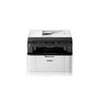
The Brother MFC-1910W printer is a fast and versatile laser printer that produces professional-quality black and white prints in seconds. Find the full range of Brother MFC-1910W toner cartridges compatible with the Brother MFC-1910W on this page, all at fantastic prices and benefiting from free next day delivery. Our collection includes branded and third-party products, discounted toner value packs, and replacement Brother drum units. Have a browse and don’t hesitate to ask our customer service team for more information using the ‘ask a question’ box above.
Filter Products (5)

Compatible Brother TN1050 Black Toner Cartridge 3 Pack
Product Code: RETN1050PACK
1 x
Black
1,000 Pages
1 x
Black
1,000 Pages
1 x
Black
1,000 Pages
Printer Warranty Protected
Guaranteed to Work
In Stock - Delivered Wednesday
Order Within
35.69
Free Next-Day Delivery
Compatible Brother TN1050 Black Toner Cartridge
Product Code: RETN1050
1 x
Black
1,000 Pages
£
Cost per page 1.29p
Printer Warranty Protected
Guaranteed to Work
In Stock - Delivered Wednesday
Order Within
12.86
Free Next-Day Delivery
Brother TN1050 Black Toner Cartridge
Product Code: TN1050
1 x
Black
1,000 Pages
£
Cost per page 3.91p
In Stock - Delivered Wednesday
Order Within
39.12
Free Next-Day Delivery
Compatible Brother DR1050 Drum Unit
Product Code: REDR1050
1 x
Maintenance
10,000 Cycles
Printer Warranty Protected
Guaranteed to Work
In Stock - Delivered Wednesday
Order Within
18.20
Free Next-Day Delivery
In Stock - Delivered Wednesday
Order Within
61.33
Free Next-Day Delivery
Toner Cartridges for the Brother MFC-1910W
At TonerGiant, we have everything you need to get your Brother MFC-1910W printer back working at its best possible performance. Shop our range, which includes:
- Value Packs: Save money by stocking up with our discounted value pack, containing three black Brother MFC-1910W toner cartridges)
- Individual MFC-1910W Black Toner Cartridges: If you need just one cartridge, we offer singular cartridges, manufactured by Brother, or our own supplier. Both options are protected by a guarantee and will have no effect on your printer’s warranty.
- Brother Drum Units: Over time, the drum unit's coating can wear out, leading to faded or streaky prints. Replacing the drum unit periodically helps maintain excellent printing quality.
Every product in our range comes with entirely free next working day delivery if you place your order before 5.30pm!
Key features of the printer
The Brother MFC-1910W printer is a multifunction laser printer. Its ability to not only print, but copy, scan and send faxes, makes it perfect for home offices or small businesses. It has an
impressive printing speed, producing documents at a rate of up to 20 pages per minute for single-sided printing.
With a very compact design, the Brother MFC-1910W printer is ideal for smaller work areas, taking up minimal desk space. However, it makes no sacrifices on printing performance - offering a
maximum print resolution of up to 2400 x 600 dpi for detailed prints.
How long should a Brother MFC-1910W toner cartridge last?
Unopened toner cartridges can last for up to two years and Brother recommends storing them in their protective bag for optimal shelf life. Once opened, using the toner within six
months helps ensure peak print quality.
In the chart you can see how long your Brother MFC-1910W toner cartridge should last, depending on how many pages you print on average each day. The values are the same for both
branded and third-party Brother MFC-1910W cartridges.
Pages Printed (Per day)
No. of days lasted
5
200 days
10
100 days
25
40 days
50
20 days
*The information above is based on toner capacity guidelines produced by the ISO (international standardisation organisation). The capacities listed are based on 5% of toner coverage on an A4
piece of paper. This means that if you were to print images or large blocks of colour or text, your cartridge will run out much faster.
How do I know if my Brother MFC-1910W printer needs a new toner cartridge?
Your Brother printer will display a “Replace Toner” sign when the cartridge needs replacing - it’s as simple as that! If you want advance warning, you can view the remaining life of the toner
cartridge in the Printer Settings; press the OK button three times and the machine will print the printer settings, including the percentage of remaining toner on page 2.
If you have any further questions about Brother MFC-1910W toner cartridges, please don’t hesitate to contact our award-winning customer service team. Give us a call on 0345 365 3605.
Frequently Asked Questions
We want you to have the best experience possible when shopping with TonerGiant. With over 20 years’ expertise, our friendly support team is here to help get you printing again quickly. You
can arrange to return a product through our returns form, or by calling us on 0345 365 3605.
If your product becomes faulty
- Original Cartridges: Return for a refund or replacement for up to 12 months.
- Compatible cartridges: Return for a refund or replacement up to 3 years.
Please contact us a soon as possible to request a returns number and arrange a free collection.
If you change your mind - 30 Days to return:
- You have 14 days from delivery to arrange a return and an additional 16 days to return the items to us once arranged (30 Days in total).
- Ordered incorrectly? We’ll provide a returns number and address for you to send to.
- Wrong item arrived – We’ll arrange a free collection of the incorrect product(s) and send a replacement.
After 14 days, you may still be able to return the product, but a 20% restocking fee will apply. After 30 days, returns are at our discretion.
Please note: Printer cartridges must be returned unopened, unused, with all seals intact and in a resalable condition, or returns may not be accepted.
Find more information and our full returns policy on our returns & refunds page.
We don't think you should pay more at the checkout, and we're proud to be one of the only printer cartridge suppliers to offer Free guaranteed next-day delivery to all mainland UK addresses.
Order before 5:30 pm on any working day and so long as the products are in-stock, your order will be delivered on the next-working-day.
Customer Questions (2)
Q
Morning Do you sell a replacement toner cartridge for a MFC 1910W please and if you do what is the price for one?
Regards, Colin.
05 April 2024
A
Hi Colin, thanks for your question. The top 3 toners on this page are all suitable for the MFC-1910W: https://www.tonergiant.co.uk/model/Brother-MFC-1910W-toner-cartridges/
They are currently priced between £30 - £36 ex vat. If you need any more help, let me know.
Q
Is the toner for brother mfc 1910(W) compatible with brother mfc1910(E)?
26 October 2016
A
Hi, it looks like from what I can find out that the MFC1910E printer is not a UK printer model and so I would say that toner may not work at all due to region coding.
Need Assistance? We'll be happy to help! Call us on 0345 365 3605