

Menu
Menu
Menu
Menu
Menu
 Free Delivery On Everything
 Exclusive Business Pricing
  Switch & Save With Compatibles
  Feefo Rated 4.7 (25k+ Ratings)
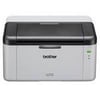
Brother HL-1210W Toner Cartridges
Save to My Printers
To keep your printer functioning efficiently and to the best of its ability, you want to ensure you’re using the correct Brother HL-1210W Toner cartridges. On this page you will find everything
you need to keep your printer running, from replacement cartridges to maintenance products. We also sell both the replacement toner cartridges and drum units with a choice of the genuine
manufacturer products or our own brand compatible cartridges.
Filter Products (5)

Compatible Brother TN1050 Black Toner Cartridge 3 Pack
Product Code: RETN1050PACK
1 x
Black
1,000 Pages
1 x
Black
1,000 Pages
1 x
Black
1,000 Pages
Printer Warranty Protected
Guaranteed to Work
In Stock - Delivered Wednesday
Order Within
35.69
Free Next-Day Delivery
Compatible Brother TN1050 Black Toner Cartridge
Product Code: RETN1050
1 x
Black
1,000 Pages
£
Cost per page 1.29p
Printer Warranty Protected
Guaranteed to Work
In Stock - Delivered Wednesday
Order Within
12.86
Free Next-Day Delivery
Brother TN1050 Black Toner Cartridge
Product Code: TN1050
1 x
Black
1,000 Pages
£
Cost per page 3.91p
In Stock - Delivered Wednesday
Order Within
39.12
Free Next-Day Delivery
Compatible Brother DR1050 Drum Unit
Product Code: REDR1050
1 x
Maintenance
10,000 Cycles
Printer Warranty Protected
Guaranteed to Work
In Stock - Delivered Wednesday
Order Within
18.20
Free Next-Day Delivery
In Stock - Delivered Wednesday
Order Within
61.33
Free Next-Day Delivery
Toner Cartridges for the Brother HL-1210W
Capable of producing up to 1,000 prints on a single Brother HL-1210W toner cartridge, this model has a separate toner and drum unit which makes replacing consumables easy and stress-free.
Compatible cartridges are those manufactured by TonerGiant. They are much more affordable, while still maintaining high-quality print production. Regardless of whether you opt for Brother-branded cartridges or our compatible ones, they will both produce 1,000 pages. However, our toner is also covered by a three-year guarantee.
Free next-day delivery as standard
We don’t want you having to pause your projects, so place your order before 5:30pm between Monday and Friday and you’ll qualify for free next-day delivery. If you have any questions about the products on this page, please do not hesitate to get in touch via the customer questions form below.
Frequently Asked Questions
We want you to have the best experience possible when shopping with TonerGiant. With over 20 years’ expertise, our friendly support team is here to help get you printing again quickly. You
can arrange to return a product through our returns form, or by calling us on 0345 365 3605.
If your product becomes faulty
- Original Cartridges: Return for a refund or replacement for up to 12 months.
- Compatible cartridges: Return for a refund or replacement up to 3 years.
Please contact us a soon as possible to request a returns number and arrange a free collection.
If you change your mind - 30 Days to return:
- You have 14 days from delivery to arrange a return and an additional 16 days to return the items to us once arranged (30 Days in total).
- Ordered incorrectly? We’ll provide a returns number and address for you to send to.
- Wrong item arrived – We’ll arrange a free collection of the incorrect product(s) and send a replacement.
After 14 days, you may still be able to return the product, but a 20% restocking fee will apply. After 30 days, returns are at our discretion.
Please note: Printer cartridges must be returned unopened, unused, with all seals intact and in a resalable condition, or returns may not be accepted.
Find more information and our full returns policy on our returns & refunds page.
We don't think you should pay more at the checkout, and we're proud to be one of the only printer cartridge suppliers to offer Free guaranteed next-day delivery to all mainland UK addresses.
Order before 5:30 pm on any working day and so long as the products are in-stock, your order will be delivered on the next-working-day.
Customer Questions (8)
Q
If I order today, day & time, when would my delivery be please?
Many thanks.
02 September 2024
A
If you place an order today before 5:30pm and all the items you are ordering are displaying 'in-stock', the order will arrive tomorrow between 9 and 6pm. Tracking will be sent first thing in the morning and depending on which warehouse we dispatch from (warehouses use different couriers) you may get a more specific arrival time on the tracking.
If you're desperate for delivery tomorrow, it's always best to order before 5pm just in case there are low stock levels towards the end of the day. We only ship in the UK and non mainland / some Scottish highland areas can take an extra day.
If you're desperate for delivery tomorrow, it's always best to order before 5pm just in case there are low stock levels towards the end of the day. We only ship in the UK and non mainland / some Scottish highland areas can take an extra day.
Q
Hi,
I need a toner for a Brother HL-1210W printer. What can you recommend?
12 May 2022
A
Hi,
I'd recommend trying our own brand toner product (code RETN1050) as it's cheaper than the original and you'll get similar print quality.
If you have any further questions, please feel free to ask.
Q
We have just purchased an HL 1210W printer - it keeps going to sleep and I thought that sending a print job would wake it up again but you have to press the on button every time - is that correct?
28 March 2019
A
Hi there, thanks for your question. The reason for the printer misbehaving is that your Brother HL1210W printer has various power-saving modes. It has a sleep mode, deep sleep mode, and then auto power off. It's the Auto power off mode that's causing the issue you described.
To turn it off, what you need to do is open the printer properties on your computer. Click the start menu, then either control panel (the cog symbol if you have windows 10), select the devices and printers setting (Devices and then click printers & scanners if you have windows 10), find your printer name in the list, right-click it and select properties (click it, then click manage, then click printer properties for windows 10) and a dialogue box will appear that has tabs. Click the 'device settings' tab, then under the item in the list that says 'utility' click the properties button. You should then see 'Auto power off time settings'. Set that to zero and click apply.
This should resolve the issue you have and stop the printer from powering off and refusing to print. If you need any more advice, let us know!
To turn it off, what you need to do is open the printer properties on your computer. Click the start menu, then either control panel (the cog symbol if you have windows 10), select the devices and printers setting (Devices and then click printers & scanners if you have windows 10), find your printer name in the list, right-click it and select properties (click it, then click manage, then click printer properties for windows 10) and a dialogue box will appear that has tabs. Click the 'device settings' tab, then under the item in the list that says 'utility' click the properties button. You should then see 'Auto power off time settings'. Set that to zero and click apply.
This should resolve the issue you have and stop the printer from powering off and refusing to print. If you need any more advice, let us know!
Q
Is this compatible with the hl1212w?
10 January 2018
A
Hi there, yes these are the correct cartridges.
Q
Is it possible to supply a higher yield cartridge for this printer? I am looking for around 3000 prints per cartridge. Thank you.
19 November 2017
A
Hi there, unfortunately, there is only one toner cartridge available for this printer which is a 1000 page toner.
Q
I bought the 10,000 page toner for my printer but it isn't working. Can you help?
14 September 2017
A
Hi there, the product listing 10,000 pages above is actually a maintenance item (drum unit) and so alone, it doesn't contain any toner and won't print. The purpose of the drum unit is to sit underneath a toner cartridge and distribute the toner onto the paper. To get your printer working, you'll need to connect it to your current toner cartridge before you place it back in the printer and if your current toner is empty then you will need new toner. If you'd like any more advice about how to do that for your printer then let me know and we can give you a call!
Q
Can you give any extra discount on your compatible TN1050? I thought they'd be cheaper being a remanufactured cartridge?
14 September 2017
A
Hi there, I can definitely look at the price for you and see if there's anything we can do. We base our current prices on the cost to manufacture the product and as the cartridges are at the lower end of the price scale, there tends to be very little margin to play with which is why they aren't massively cheaper than the original Brother but they are around 20-30% cheaper. I will send you a direct email once I've had a look at that for you and we will see what we can do! Thanks again for your question! Stu.
Q
Can I use a coloured toner for Brother HL 1210W?
24 March 2017
A
Hi there, unfortunately not, the Brother HL1210W is a mono laser printer so it isn't able to print in colour. Thanks, Stu.
Need Assistance? We'll be happy to help! Call us on 0345 365 3605